
| *key specs | |
|---|---|
| What’s in the Printer Box | MFC-L8930CDW, TN635BK/C/M/Y Toner Cartridges, DR635CL, BU635CL, WT229CL, AC Power Cord, Quick Setup Guide, Telephone Line Cord |
| Printer Condition | New |
| Supertank | Standard |
| Types of Display | Color LCD |
| Printer Type | Laser |
| Printer Use | Office Business |
| Printer Capability | Print, Scan, Copy, Fax |
| Touch Screen Display | Yes |
| Printer Function | All-In-One |
| connectivity | |
| Wireless Ready | Wireless |
| Mobile Printing Apps | AirPrint®, Mopria™, Brother Mobile Connect, Wi-Fi Direct® |
| Printer Connectivity | USB, Wireless, Network Ready |
| Mobile Device Printing | Mobile Device Printing Eligible |
| Media Types Supported | Plain Paper, Recycled Paper, Colored Paper, Letterhead, Labels(MPT), Envelopes (up to 10)(MPT), Glossy Paper (single sheet)(MPT) |
| Network Ready | Yes |
| copy, scan, fax features | |
| Black & White Copy Resolution (Up to) | Up to 1200 x 600 dpi |
| Color Copy Resolution (Up to) | Up to 1200 x 600 dpi |
| Scanner Resolution | 1200 x 1200 dpi |
| dimensions | |
| Weight (lbs.) | 58.4 |
| Height in Inches | 18.1 |
| Depth in Inches | 19.9 |
| Width in Inches | 17.9 |
| output | |
| Maximum Printer Monthly Duty Cycle | Up to 70,000 pages |
| Printer Output Capacity | 150 sheets (face down), 1 sheet (face up) |
| Output Type | Color |
| paper | |
| Supported Paper Sizes | Standard Tray: Letter, Legal, Executive, A4, A5, A6, Folio; Multipurpose Tray: 3″ – 8.5″ (W) / 5″ – 14″ (L) |
| Black & White First Page Out (seconds) | 9.9 |
| Color First Page Out (seconds) | 9.9 |
| Reversing Automatic Document Feeder (RADF) | No |
| Printer Max Paper Size | 8.5″ x 14″ Legal |
| Automatic Document Feeder (ADF) | Yes |
| Paper Input Capacity | 250-sheet standard tray, 50-sheet multipurpose tray |
| print features | |
| Recommended Monthly Print Volume | Up to 6,500 pages |
| Photo Capable | Not Photo |
| Wide Format Compatibility | No |
| Borderless Printing | No Borderless Printing |
| Max Print Resolution (dpi) | 2400 DPI |
| Color Print Speed | 31 to 40 PPM |
| Double Sided Printing | Automatic |
| Monthly Printer Volume | 2501+ Pages |
| Black & White Print Speed | 31 to 40 PPM |
| warranty | |
| Printer Warranty | 1 Year Limited |
| additional details | |
| True Color | Gray |
| Ink Subscription Service | No |
| Number of Users | 11-15 Users |
| Printer Processor | 1.2 GHz |
| Printer Memory | 512 MB |
| Printer Portability | Standard |

Laser Printers, Office Printers
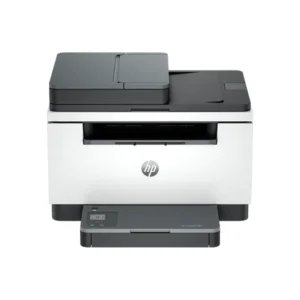
Brother MFC-L8930CDW Wireless Color All-In-One Laser Printer, Best for Office
$699.99
+ Free Shipping- PROFESSIONAL RESULTS. Fast print and copy speeds of up to 33ppm(2) help optimize productivity. Lifelike color and sharp black output for professional business documents, presentations, and marketing collateral.
- MAXIMIZE PRINTING BUDGETS. Offers built-in value with included Brother Genuine 3,000-page black and 1,800-page color standard yield toner cartridges. Help lower printing costs by using the TN635XXL super high yield replacement toner cartridges for 7,500-page black and 6,500-page color(3).
- Advanced, high-speed scanning capabilities. Fast, two-sided scanning up to 104ipm(4). The 80-page capacity(5) auto document feeder easily handles large scan and copy jobs. Also features a legal-sized document glass. Scan to popular destinations directly from the touchscreen display, including cloud services(6), email, SharePoint, and SSH Server (SFTP). Supports the added benefit of creating searchable and editable Microsoft Office documents (Word, Excel, and PowerPoint)(7).
- 7” color touchscreen display. Enables easy menu navigation, scan preview, and the creation of up to 64 customized shortcuts for your most frequently used tasks.
- EXPANDABLE PAPER CAPACITY. The standard paper capacity supports 250 sheets in the lower tray and 50 sheets in the multipurpose tray, allowing for printing on custom media and envelopes. Optional trays expand the total capacity up to 1,340 sheets(5).
- Flexible connectivity. Features built-in dual-band (2.4GHz / 5GHz) wireless networking and Gigabit Ethernet networking for seamless setup and sharing, plus easy printing from and scanning to mobile devices(1).
Reviews
There are no reviews yet.